
Registers
All your registers, kept in one place
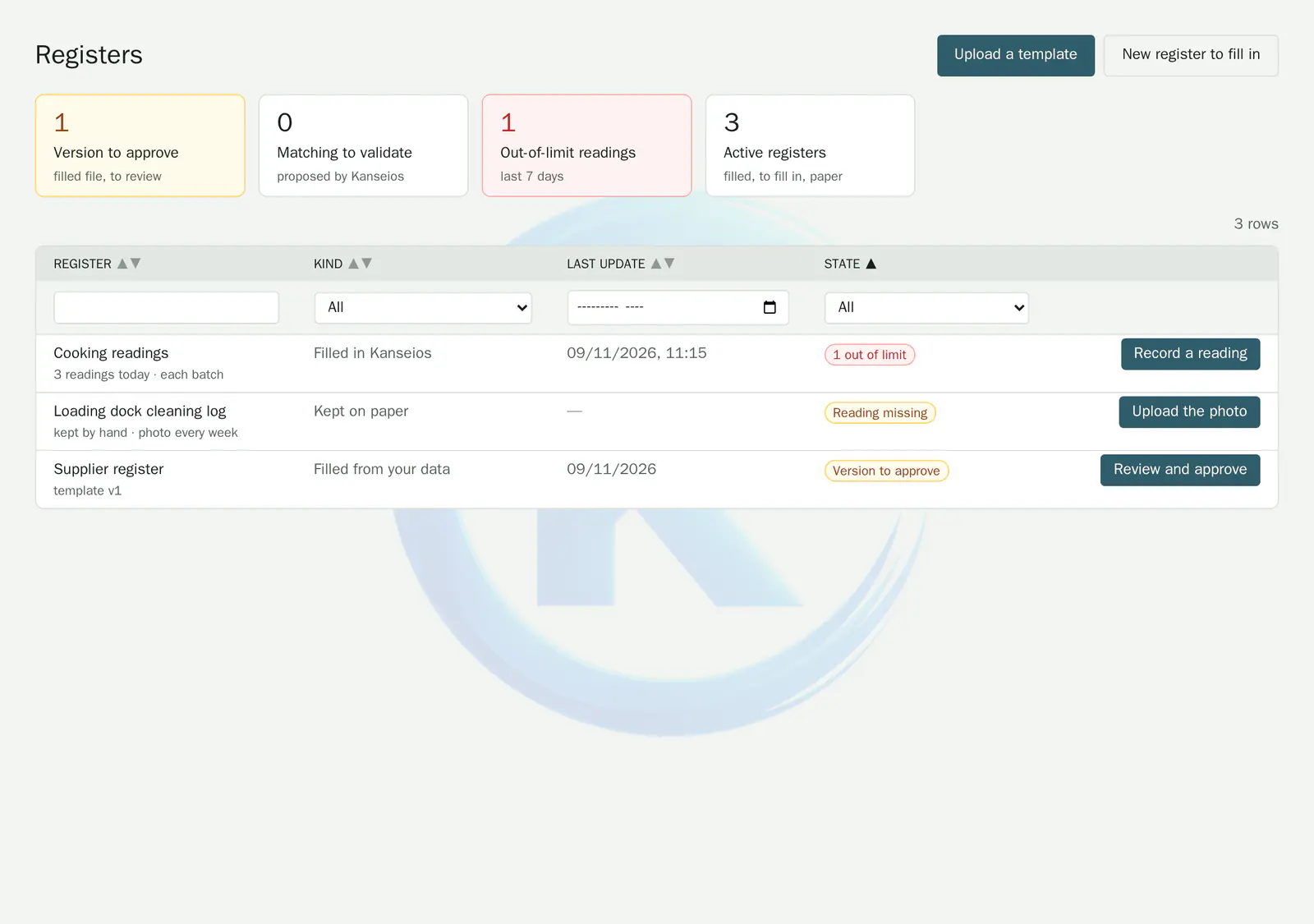
Registers filled in from your data, readings recorded on site or paper logbooks: Kanseios brings them together in one table and flags out-of-limit readings.
The problem
When registers are scattered
- Spreadsheets to update by hand before every audit.
- Temperature readings noted on paper, with no alert when a value is out of limits.
- Several versions of the same register, with no way to tell which one is current.
How Kanseios helps
One table, three ways to keep a register
Upload your Excel or CSV template: Kanseios recognises its columns, you validate how they map to your data, then it fills in the file itself. Registers to fill in are kept in Kanseios, with their limits; for a paper register, you upload a photo of each page.
Key features
-
Filled in from your data
Your Excel or CSV templates keep their layout; each new version is reviewed and approved before it comes into force, then archived.
-
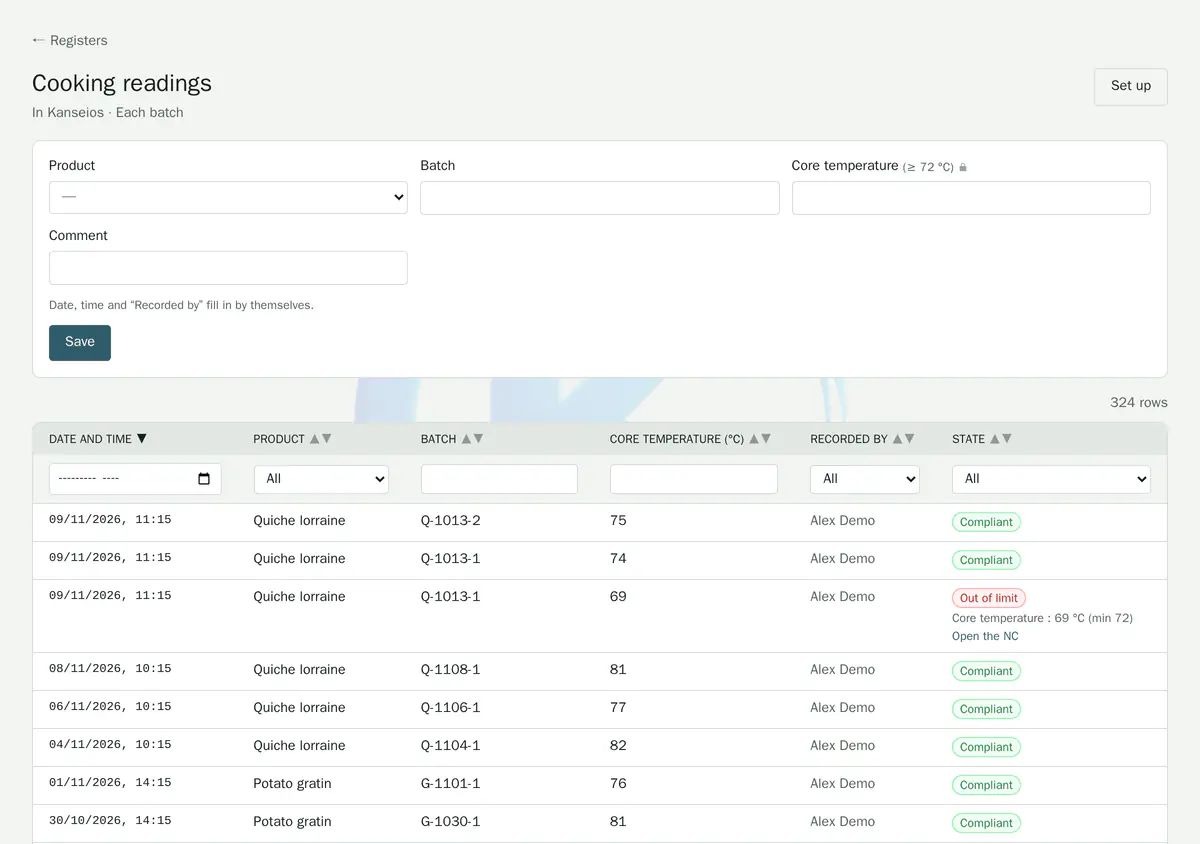
Readings recorded on site
Columns with unit and limits; the date, time and author of each reading are filled in automatically.
-
Out of limits, visible at once
An out-of-limit reading is flagged and creates a nonconformity if the register is set up to do so.
-
Paper registers
A photo of the page for each period is uploaded and kept with the register.
The easiest way is to try it.
Open the demo and explore the day-to-day work of a quality department. No sign-up, no credit card.